


Notion AI vs ChatGPT for Organizing Your Work
If you've ever opened a blank page to plan your week and ended up more overwhelmed than when you started, you're not alone. Two of the most popular AI tools in 2026 promise to help: Notion AI and ChatGPT. But most comparisons focus on which one writes better. That's the wrong question if your real goal is to plan, organize, and actually get things done.
This guide breaks down how each tool fits into your workflow, where they shine, and how to choose the right one for planning, not just drafting.
The core difference: a workspace vs. a conversation
The fastest way to understand these tools is to picture where they live.
Notion AI is built directly inside Notion, a workspace where your notes, tasks, databases, and project docs already exist. The AI reads and acts on that content. It's an assistant that lives inside your filing cabinet.
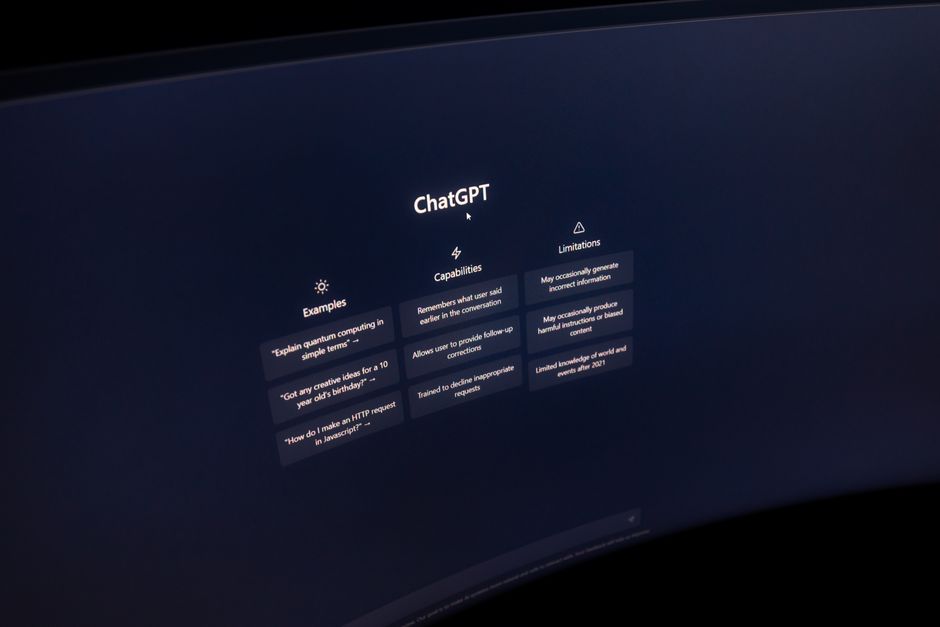
ChatGPT is a standalone conversation. You bring the context to it by typing or pasting, and it responds. It's a brilliant thinking partner, but it doesn't automatically know what's in your calendar, your task list, or your project notes unless you tell it.
That single distinction shapes everything else. Notion AI is strong when your plan needs to live somewhere and stay organized. ChatGPT is strong when you need to think through a plan before it exists.
Planning with Notion AI
Because Notion AI sits on top of your existing pages and databases, it's genuinely good at turning scattered information into structure.
Where it helps most
Building databases and trackers. You can ask Notion AI to create a project tracker, a content calendar, or a client CRM, and it generates a real database with columns you can sort, filter, and update. That's not just text; it's a functioning system.
Summarizing long documents. Drop meeting notes or a research doc into a page and ask for action items. Notion AI pulls them out and can even assign due dates in a linked task list.
Connecting information you already have. With Notion's AI search, you can ask questions across your whole workspace, like "What did we decide about the launch timeline?" and get an answer drawn from your actual notes rather than a generic guess.
Where it falls short
Notion AI is less flexible for open-ended brainstorming. If you want to explore ten different approaches to a business problem, the chat-style back-and-forth feels more limited than a dedicated conversation tool. It's also tied to a subscription and only useful if you commit to keeping your work inside Notion.
Planning with ChatGPT
ChatGPT excels at the messy, early stage of planning: when you don't yet know what the plan should be.
Where it helps most
Thinking out loud. Describe a goal like "launch a small online store in 90 days" and ChatGPT will break it into phases, flag risks, and suggest what to do first. You can push back, ask for alternatives, and refine in real time.
Prioritizing and sequencing. Paste a chaotic to-do list and ask it to group tasks, estimate effort, and order them by impact. It's fast at imposing logic on a mess.
Custom prompts and reusable workflows. You can build saved instructions, so ChatGPT always plans the way you like, using your preferred format, tone, or framework.
Working across topics. Unlike a workspace tool, ChatGPT doesn't care whether you're planning a wedding, a product launch, or a study schedule. It adapts instantly.
Where it falls short
ChatGPT doesn't store your plan in a usable, structured way by default. You get great output, but you still have to copy it somewhere to track progress. It also doesn't automatically know your existing files unless you upload or paste them, and it won't nudge you when a deadline is approaching.
Head-to-head: which one to reach for
If you want a plan that stays organized
Choose Notion AI. It turns ideas into living databases, checklists, and dashboards you can actually manage over time. This is ideal for ongoing projects, team workspaces, and anyone who wants a single home for their work.
If you want to figure out the plan itself
Choose ChatGPT. It's the better thinking partner for strategy, prioritization, and exploring options. It shines when the plan doesn't exist yet and you need help creating one from scratch.
If you're a student
Use ChatGPT to build a study schedule, break down a big assignment, or explain a concept you're stuck on. Use Notion AI to keep your notes, deadlines, and course materials organized in one place.
If you run a small business
Use ChatGPT for early strategy, marketing angles, and quick decision-making. Use Notion AI to run the actual operation: client trackers, content calendars, and standard operating procedures.
The smartest approach: use both together
These tools aren't really competitors. The most efficient professionals in 2026 use them as a pipeline.
Step 1: Brainstorm in ChatGPT. Talk through the goal, get a first draft of the plan, and refine it until the structure makes sense.
Step 2: Move it into Notion. Paste the finalized plan into a Notion page and use Notion AI to convert it into a task database with owners and due dates.
Step 3: Maintain it in Notion. Use Notion AI to summarize progress, update statuses, and search across your notes as the project evolves.
This split plays to each tool's strength: ChatGPT for open thinking, Notion AI for durable structure.
A quick reality check on cost and privacy
Both tools offer free and paid tiers, and features change often, so check current plans before committing. Just as important: be thoughtful about what you paste into any AI tool. Avoid sharing sensitive client data, passwords, or confidential business details unless your plan explicitly covers privacy and data handling. For small-business owners especially, a few minutes reviewing data policies is time well spent.
How to actually get good at this
The real skill isn't picking one tool over the other. It's learning to prompt clearly, structure information, and build repeatable systems. That's a learnable skill, and it pays off across every AI tool you'll use for years to come. Start small: pick one project this week, brainstorm it in a conversation, and turn it into an organized workspace. The habit matters more than the app.
Ready to build real AI skills? Join the September 2026 cohort at Class For Jobs. Explore AI for Everyday Use — a practical, no-code course to get more done with AI every day, live and instructor-led with career support, resume help, and job-placement assistance.
Related reading






